 Dreamwrite Studio
For years I wanted to write but I couldn't. I can't blame software for that.
I would come up with a compelling idea, start collecting notes, outlining, laying out in my mind the research I would do. And then nothing. Weeks would go by, months; I might poke back into my project folder once or twice, but the more time passed the less good that felt. Eventually, I just stopped coming back.
A few years would go by, and I would get a new computer. Then one day that next compelling idea would hit, and the creativity would flow.
Scrivener on Linux: a painful ritual
As big exciting ideas swirled around in my head, I would go to download Scrivener only to remember the morass of setup necessary to get it working on Linux. Use this Wine runtime, not that one. Delete the texttospeech folder after install or the program crashes. Tweak KWin settings to make the window behave.
Enough time passed each of these cycles that I would have to search for instructions again every time. During one search, I discovered that Literature & Latte had at one time offered a Linux beta. In my mind, my fists shook a little.
Fixing my writing environment had become part of the writing routine. The next part was starting a new project only to be annoyed at how 'off' the Scrivener window looked and how clunky it felt running an old Windows application on a compatibility layer. I would write, but this would irk me. When the idea honeymoon phase faded, the irking grew into distraction. Distraction grew into avoidance, avoidance into abandonment.
Turn, turn, turn.
Your Writing App Should Be Beautiful
People generally accept that the physical environment around their work space influences their work. A disordered space reflects disordered thoughts (which is something what you're going for). Readily available distractions pull your focus from your work. Simpler spaces center you. Beautiful spaces inspire you. Stately spaces fill you with confidence.
And yet, few consider this principle could apply to the digital space where most of our modern knowledge work is done. Decorating an office or a cubicle is normal. Putting attention into the look and feel of your computer is a frivolity reserved for /r/unixporn.
This shouldn't be the case. A beautiful writing app is something I want to spend time in, to return to. Scrivener wasn't ugly, but it was Spartan. A nod to a certain era and sensibility. But worse, it didn't fit at all slapped onto a modern Linux desktop personalized with an otherwise cohesive aesthetic.
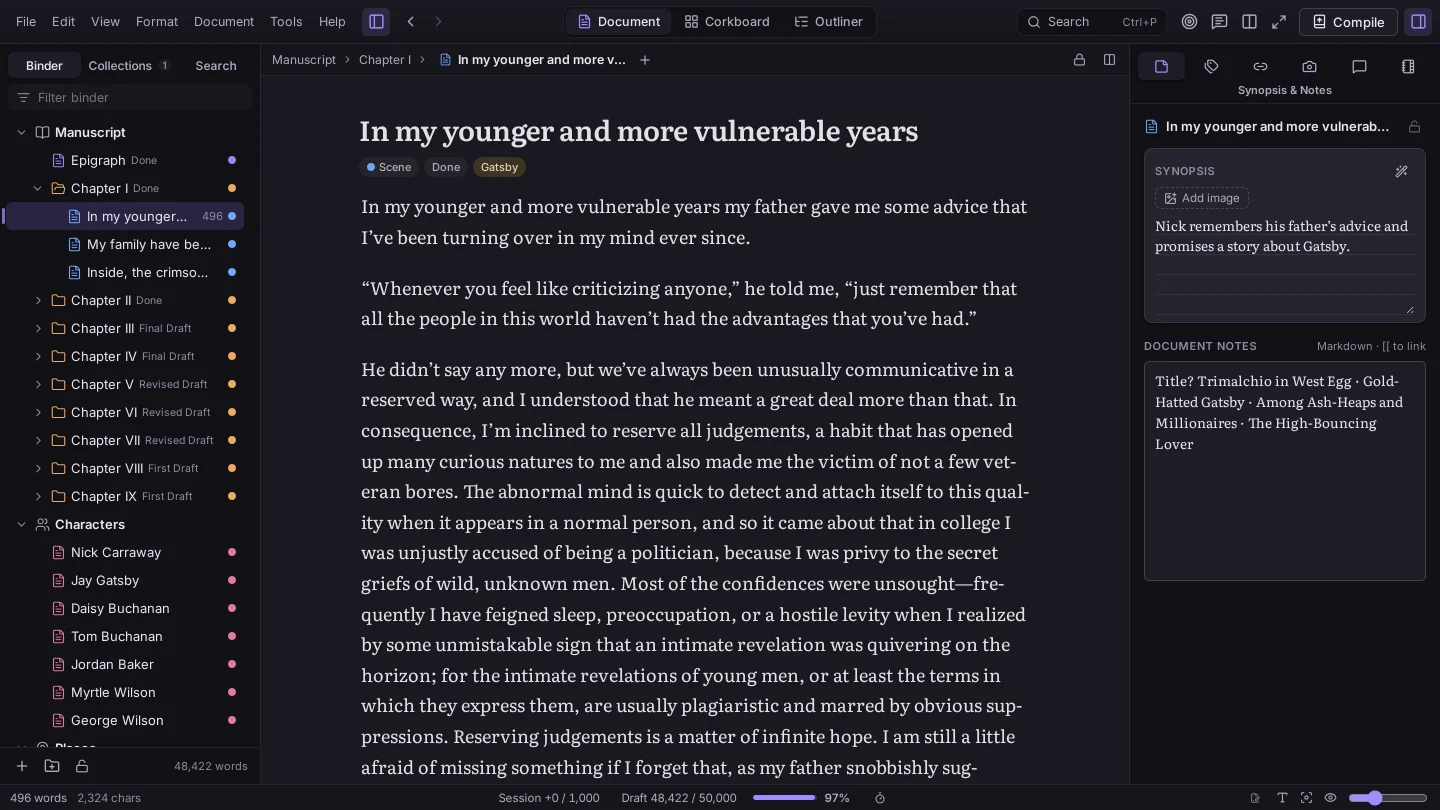
So after years of cyclically repeating this painful ritual, I finally decided I would write my own native Linux writing application. It had to be full-featured like Scrivener, but it needed an elegance I would want in my physical writing space. I took notes from Ulysses and Obsidian, in Obsidian (actually). I made the writing studio I would want to write in. I had toyed with a public release, but I wasn't sure whether it would just be for my own personal use until I started using it and felt a feeling I wanted other writers to feel. So I built out a Mac and Windows version and launched a storefront.
Dreamwrite Studio didn't suddenly make me a committed writer. But it removed the external excuses.
I didn't magically start pumping out prose like Stephen King when I moved my writing to Dreamwrite Studio. I still lose that honeymoon phase with my ideas. But I don't have a bunch of superficial environmental noise anymore to turn my attention to until my project fades. If I'm failing to write, I'm doing it in a place visibly built for better. It's incongruent. And so far, most of the time, that feeling seems to do the trick.
P.S. Why I Didn't Use Existing FOSS
Linux has no shortage of free and open source applications that can be used for writing. FocusWriter has a distraction-free interface, themes, and writing goals. But it doesn't have a project binder to manage notes or organize thoughts. Manuskript has an outliner and tools for developing characters, plots, and a story’s world. But it has minimal features for revision, and lacks the flexibility to structure a book that many projects want. Zettlr is another free and open-source choice, with Markdown, reference-manager integration, and publication workflows. It's great for academic writing, but is intentionally lacks many features other writers need.
For some projects, a free application may be the better choice. And some writers will prefer open-source software as a matter of principle.
I built Dreamwrite to be a full-featured studio to support serious projects from idea to publication. It has a binder and corkboard, an outliner and timeline, a focused editor, snapshots and tracked changes, support for collaboration with writers outside of Dreamwrite Studio, and compilation to Word, PDF, EPUB, and screenplay formats.
More than anything, I wanted a place where I could capture an idea in that honeymoon phase, where I would want to return to keep nurturing it, where it could thoughtfully grow into the best version of itself.
That is the experience I hope Dreamwrite Studio gives to others.